
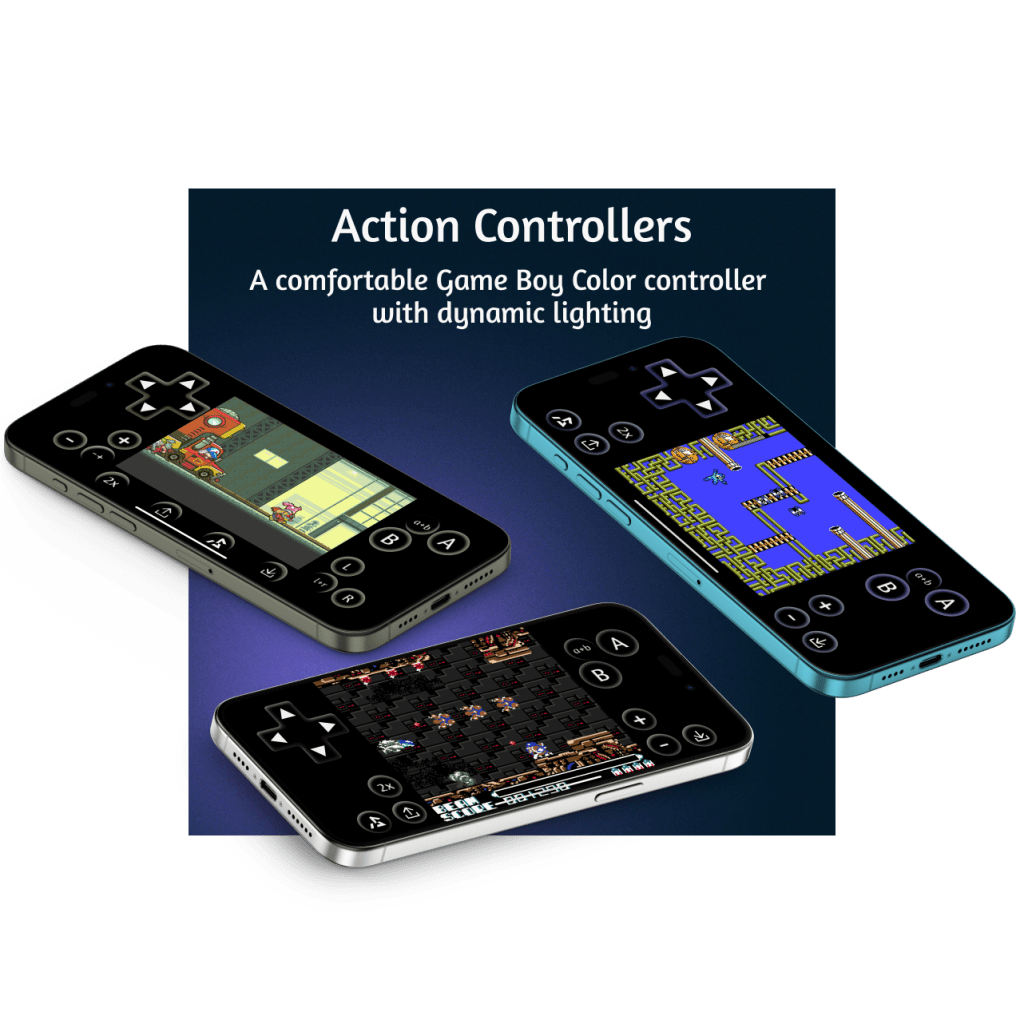
Overall Thoughts
Delta is an app on iOS that allows the user to play vintage video games on several Nintendo systems from the 80s, 90s, and early 2000s. But there’s a problem: emulating the physical buttons and directional pads of real controllers for has been a challenge on iPhone. For one thing, there’s way less tactile feel on a flat pane of glass than a plastic controller with physical buttons.
My first crack at this, Idle, was an attempt to make playing slower games easier by making them one-handed. But the vast majority of games require faster input speed. When developing Idle, I brainstormed ways to improve the playability of action games on iPhone. Two ideas stood out: increasing button size and adding light.
The test of a virtual controller is how often one needs to check the buttons. With these Action controllers, I rarely need to look.
By making the buttons light up to make what’s happening on screen, I hoped to add some immersion while also subtly reminding the player where the buttons were. Here’s an animation of the buttons changing colours:

Action GBC
For Game Boy and Game Boy Color. It’s comfortable enough to play platformers and fast puzzle games. I tested it with Mr Driller and Super Mario Bros. And the buttons change color based on the action on the screen.

Features of Action GBC:
- Works with all iPhones that run Delta, in portrait and landscape
- Buttons change colour to match the action of the screen
- Combo A+B button for more precise running and jumping
- Big AB Buttons and Directional Pad
- Quick save, Quick load, and fast forward
Download it here: https://deltastyles.com/skins/211-action-gbc
Action GBA
A comfortable Game Boy Advance controller that works great in portrait and landscape for racing games and tricky platformers. And the buttons change colour based on the action on screen.
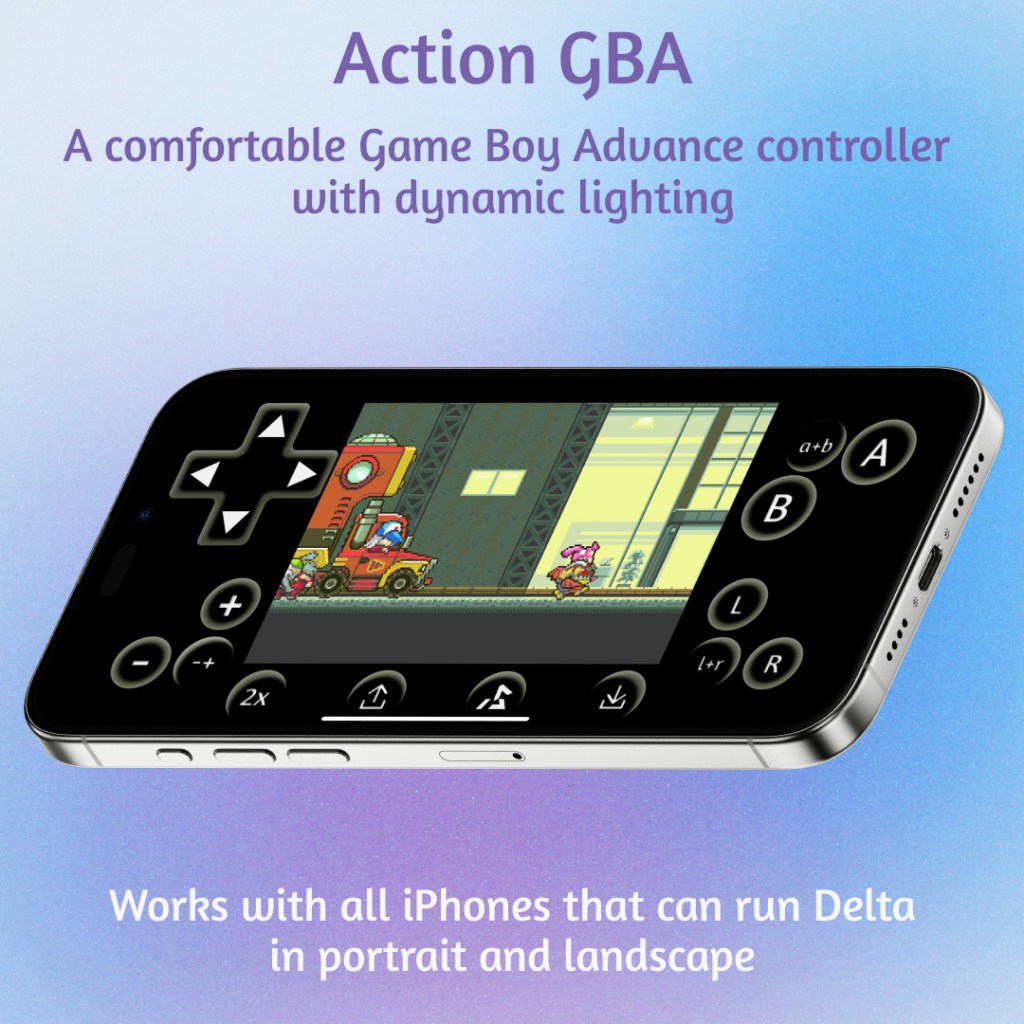
Features of Action GBA:
- Works with all iPhones that run Delta, in portrait and landscape
- Buttons change colour to match the action of the screen
- Combo A+B and L+R buttons
- Big AB Buttons and Directional Pad
- Quick save, Quick load, and fast forward
Download it here: https://deltastyles.com/skins/228-action-gba
Action NES
For Action, I wanted to do something new and make an NES controller. Tons of action games on NES age well and look great on iPhone.
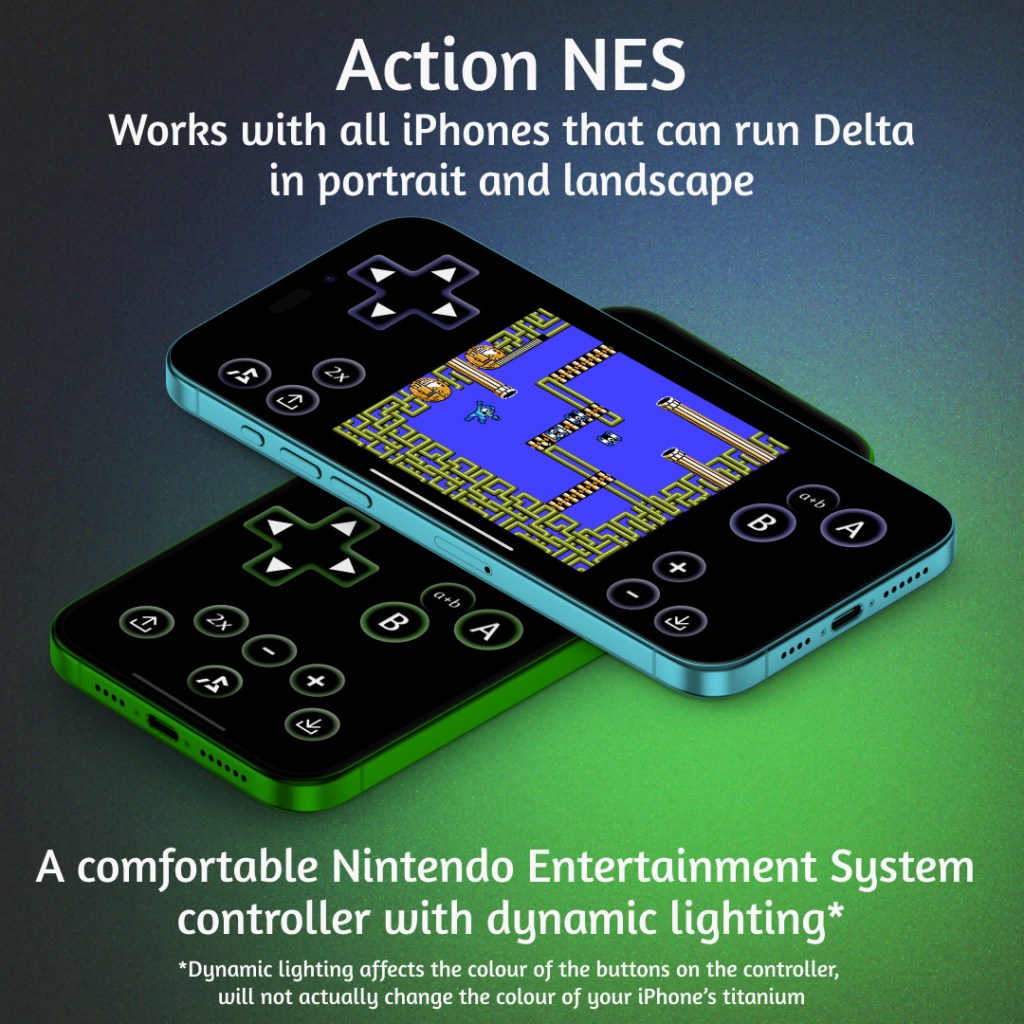
Features of Action NES:
- Buttons change color to blend seamlessly with screen actions.
- Works with all iPhones that run Delta, in portrait and landscape
- Aspect ratio is 1.5x original NES on iPhone 15 Pro Max, and scaled slightly down for smaller iPhone screens. If you have an iPhone SE-sized screen, it is exactly the same as the NES’s original aspect ratio.
- Combo A+B button for more precise running and jumping
- Big AB Buttons and Directional Pad
- Quick save, Quick load, and fast forward
Download it here: https://deltastyles.com/skins/216-action-nes
Last Thoughts
The dynamic lighting is kind of a visual gimmick, but I find it can help with immersion. It can also distract, so I’m thinking of making versions of these in the future that are static instead of dynamic. Hopefully in the future I can make versions of these for every console.
Delta skins are a wonderful niche. The player who downloads custom skins has to a) like retro games, b) want to actually play retro games, c) want to play them enough to back up their roms, d) want to play them on their iPhone, e) want to install a different controller than the perfectly good default set, and f) want to install them over just connecting a bluetooth controller. That’s a lot of hoops. I am so grateful to those who jumped through them and found mine. I hope they made you happy. 🎮

Leave a comment