

This is free advice to myself, but if you find it useful, awesome.
Most social media platforms let you save posts in some capacity. As you scroll, you see something interesting you’d like to add to your life in some way, so you save it. Ideally, you’ll know to check those some other time and act on your original intent. But if you’re anything like me, you have way more saved posts than you know what to do with.
This summer, I added two reminders to my life, and they’ve helped me deal with this. I copied the url for where the “saved” posts are on the three platforms where I routinely scroll, and pasted them into a single reminder.
The first reminder is just called “take a look at your saved posts.” There’s no obvious direction because not every saved post necessarily has one. I’ve set this to once a week on a Wednesday. It feels like the right time to look at this stuff.
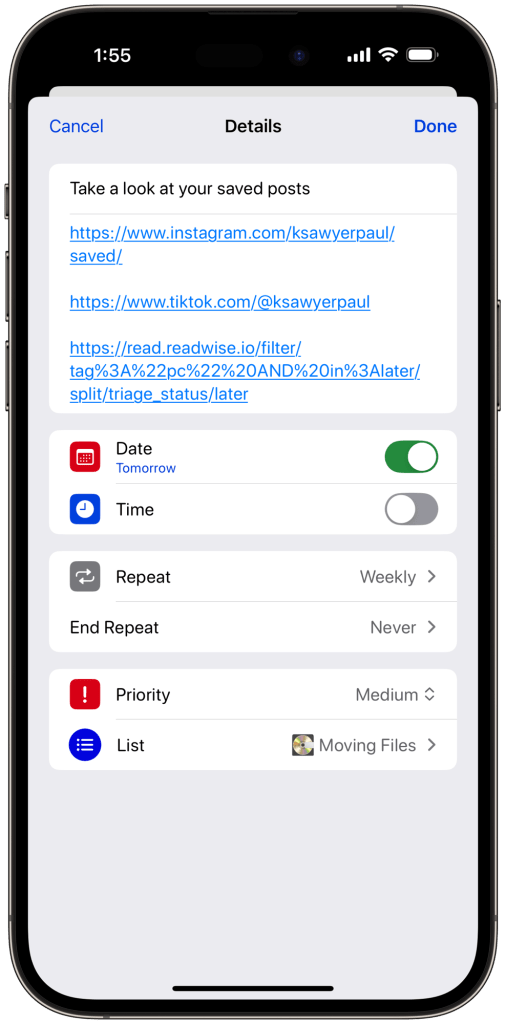
For Instagram or Tiktok, I’m usually saving a graphic design trick, a restaurant to check out, or something cute I want to share with someone later. For Readwise, this url goes to articles I’ve marked for “later.” Almost all of the time, I prefer to “act” on it when I get back to my computer.
The second reminder is to make a new Day One journal entry at the end of the week. I used to do something like this with old blog posts, but it’s mostly a private thing nowadays.

Day One has a few good templates for “weekly recaps.” It’s pretty easy to start with one of them and then tweak it to suit your own needs. Among other things, it reminds me to look at the four places where I track media and ask myself: What did I read, watch, and play this week that’s worth remembering?
I tend to go from the reminder to Day One on my phone, and finish clicking the links and typing out my thoughts on my desktop. Day One’s web app is great.
The links go straight to my profile on the four websites, and it helps remind me what I’ve actually enjoyed. Of course, that requires actually using those sites. I could type these things straight into the journal. But easy input is one of the reasons I use them all to start with.
As with all reminders, I’ve let them slip a few times. This is a pretty low priority task I’ve set for myself. But I’m happy with how this loop works.

Leave a comment