
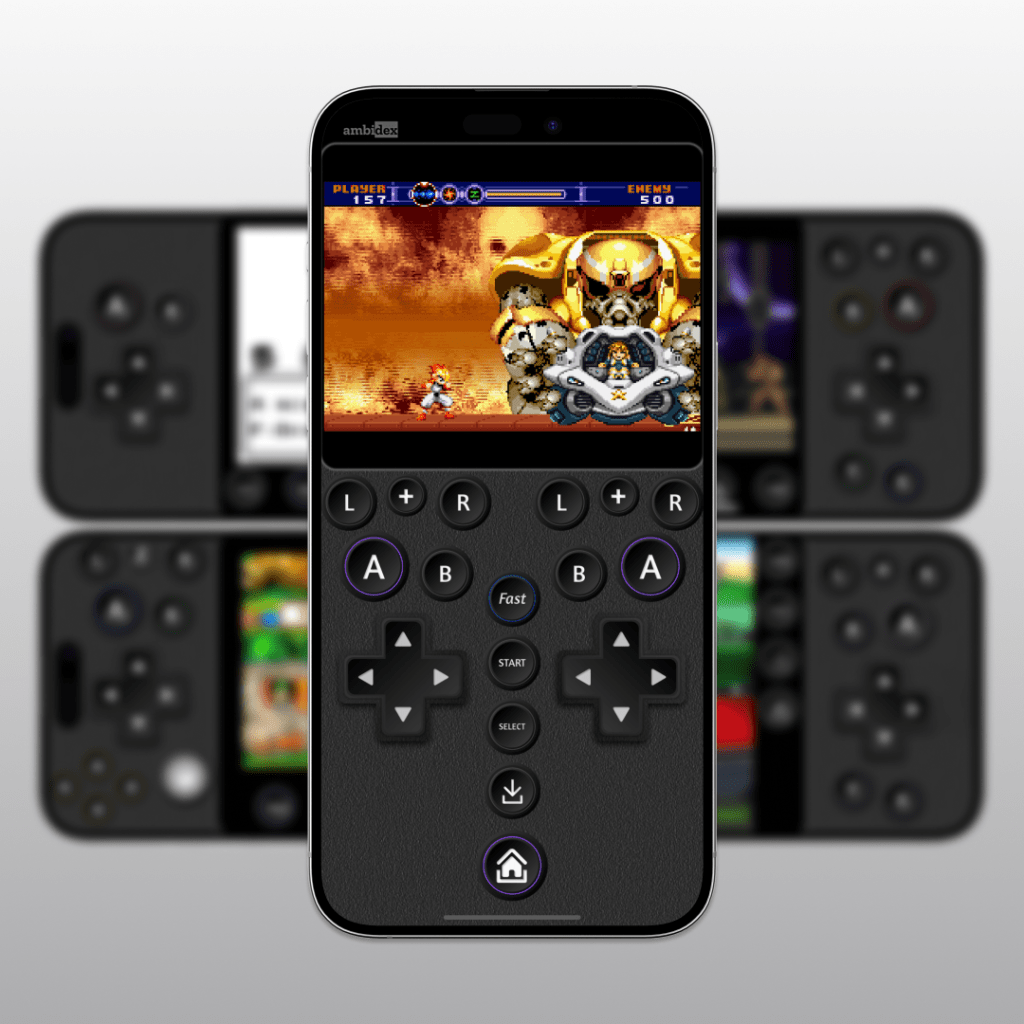
Introducing Ambidex, a controller family for @riley.social‘s amazing emulator, Delta.
Last year, I made a controller called Idle. It allowed the player to play games with one thumb. All the controls were shifted to one side and arranged in a circle.
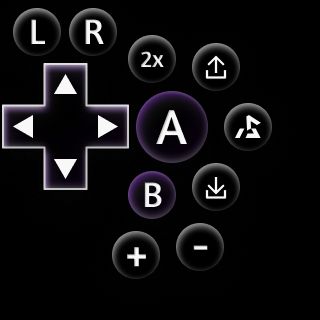
This was popular, and I made them for most consoles supported by Delta. But with some tinkering, this design improved over time. I wrote a little about this here: Improving One-Handed Controllers for Retro Games after over 8,500 downloads
I made the Idle controllers one by one, so there’s design differences between them. By the time I got to the SNES, pictured here, you can see how complex the layout became.
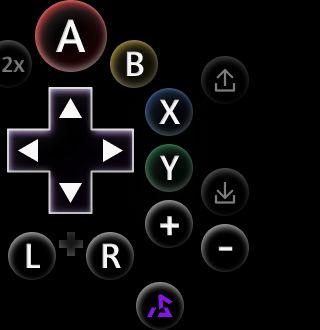
Idle had one issue I did find annoying: sometimes I wanted to switch which hand was holding the phone. You had to manually switch between left and right alignments. Not only that, you had to download two controllers and install them both just to get started. It was an obvious pain point.
Fun fact, I originally designed it only for left-handed use, and my first comment was asking for a right-handed one.
So, for the follow-up, I felt I had to make it work one-handed on both sides. But there’s no way I could duplicate every button. Thankfully, the iPhone hasn’t yet gotten so wide that your thumb can’t reach the middle. Since the middle is shared by both thumbs, I could place buttons there that wouldn’t get mirrored. With this column, you can comfortably reach most buttons.
I began from the beginning, with the NES. This is the least complex layout. I revised it about 20 times before landing on this design. Your thumb should comfortably rest on the A button, and have the most difficulty with hitting home. Tapping right beneath home will invoke the iPhone’s multitasking bar.
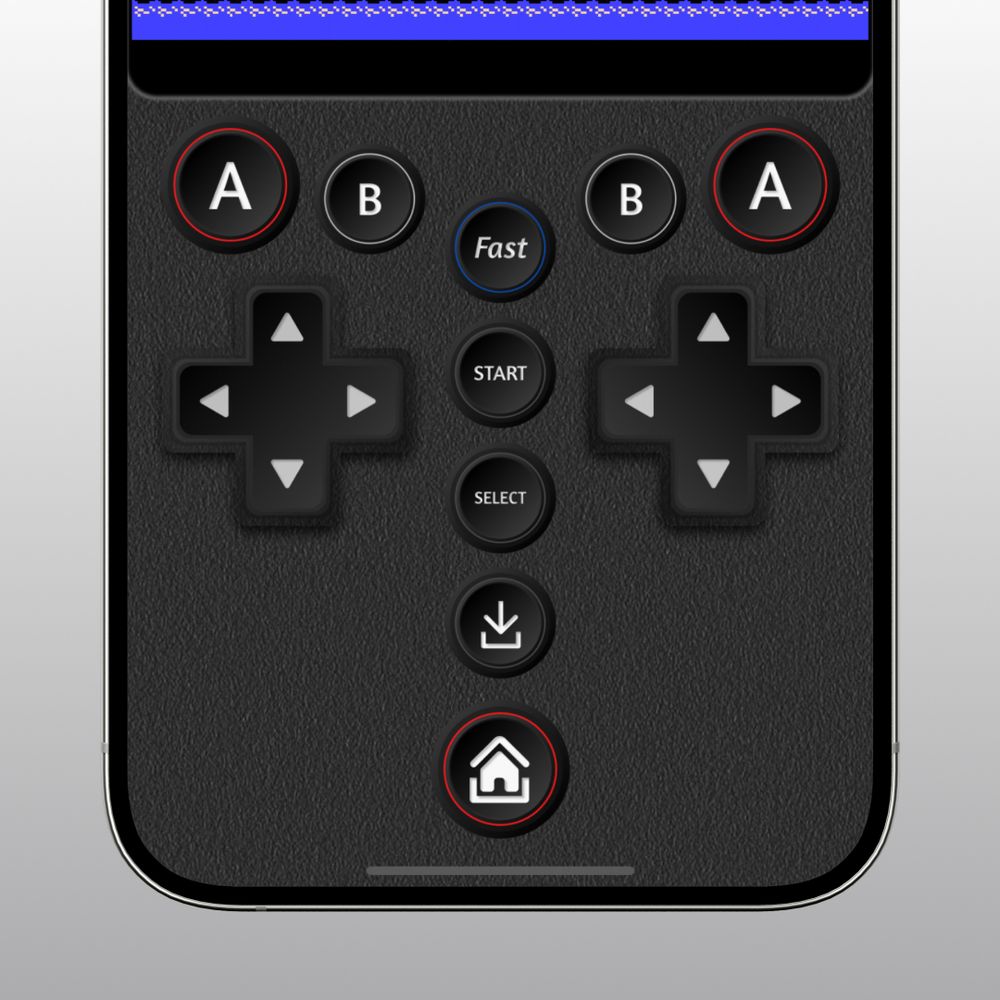
Here’s the Game Boy Color layout. It’s the same as the NES with slightly different colours.

In Pokemon and Final Fantasy games, I find myself constantly jumping between regular and fast-forward in delta. So that’s one of the easiest buttons to reach.
I have no data on this, but I have a feeling the GBA is the most popular emulator on Delta. It makes sense: the games are in that sweet spot of nostalgia, and the pixel art is some of the best ever made.
I added an L+R row with a combo button in the middle. Lots of games use that combo button. This controller also makes games like Street Fighter Alpha 3 a little easier to play, since the LR buttons almost become “face” buttons.
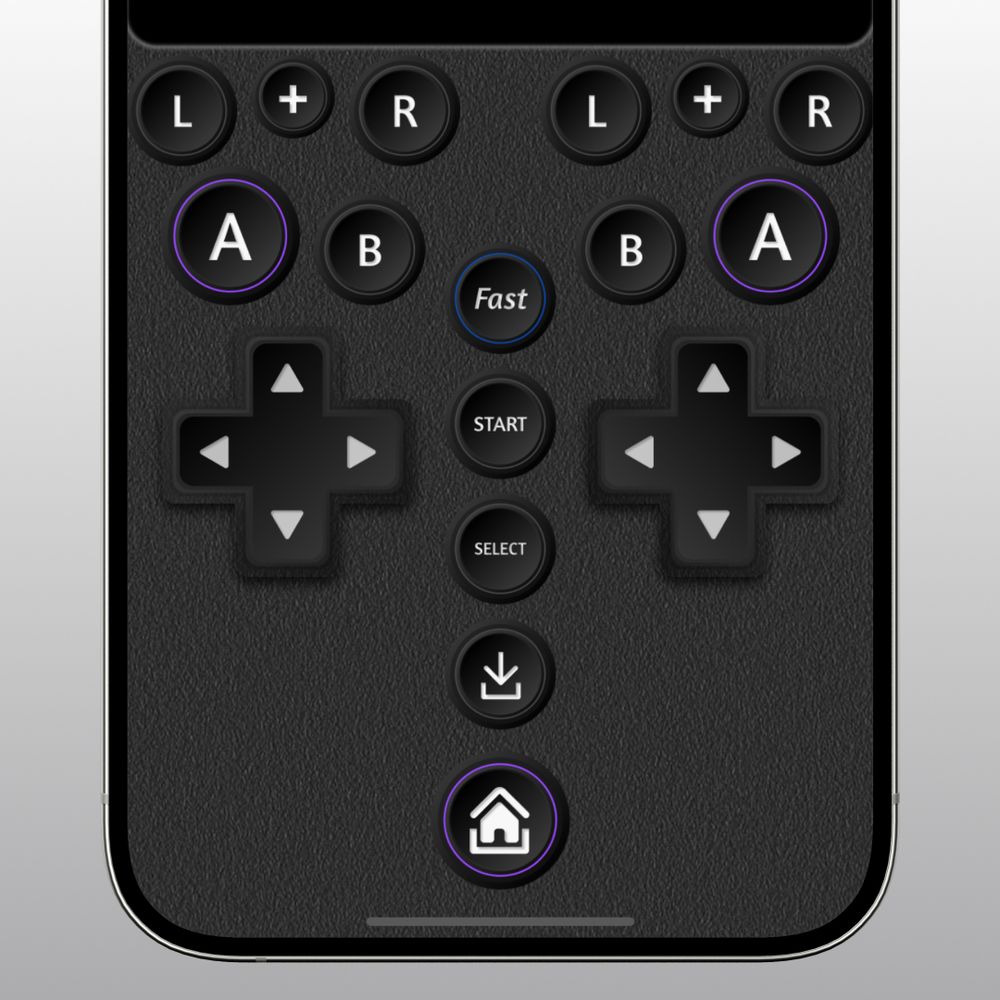
If you’re anything like me, you’re jumping from console to console frequently. Ambidex keeps the buttons in mostly the same places on NES, GBC, SNES, and GBA.
This can help build muscle memory, because you’re not constantly learning new layouts.

One downside of the SNES layout: by placing the Y and X below the d-pad, it might actually be the least comfortable Street Fighter controller you can find. It’s nearly impossible to design one controller to fit every use case. Thankfully, I have a solution for that one.
All of these work in landscape, too, with the column buttons moved down below the screen.
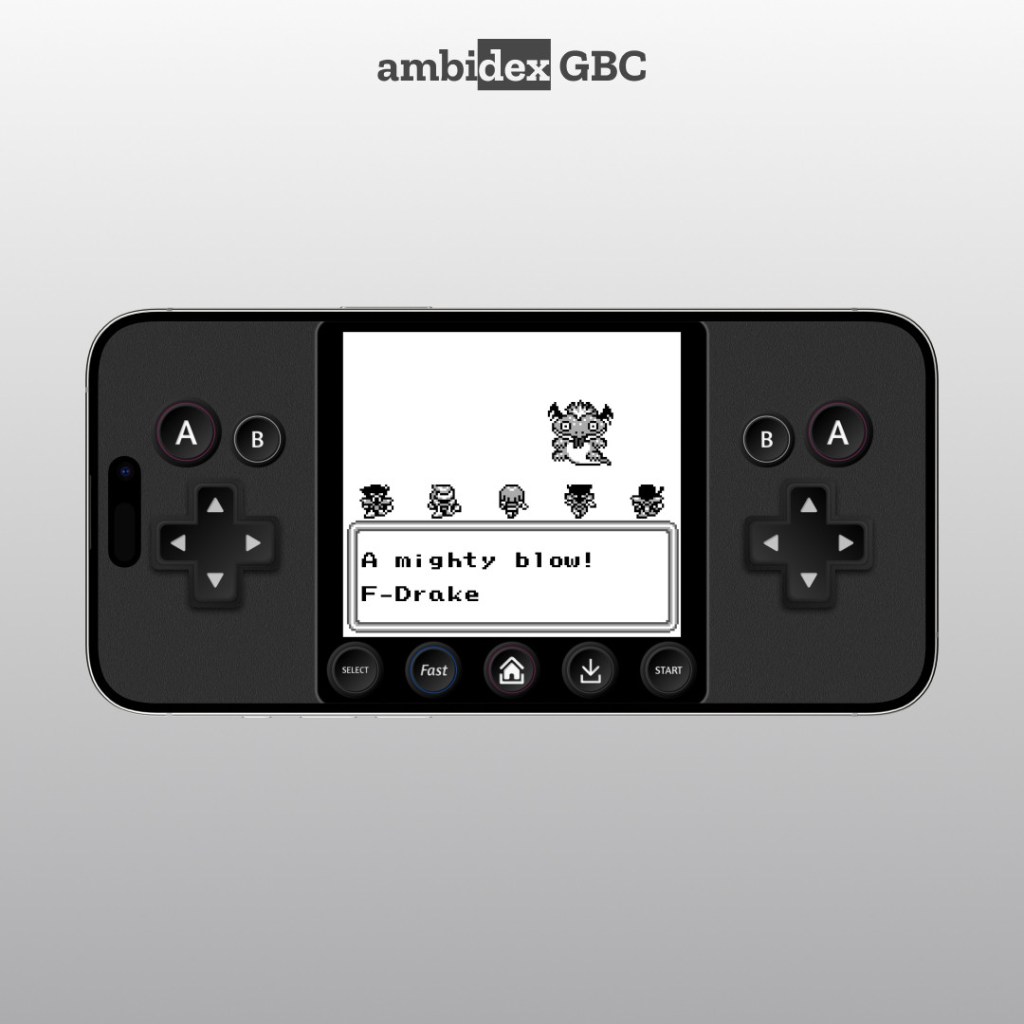
The NES/GBC layout is inspired by the Virtual Boy controller. This unlocks reverse control abilities. You can use the dpad with your right thumb and tap the action buttons with your left. Play your way!

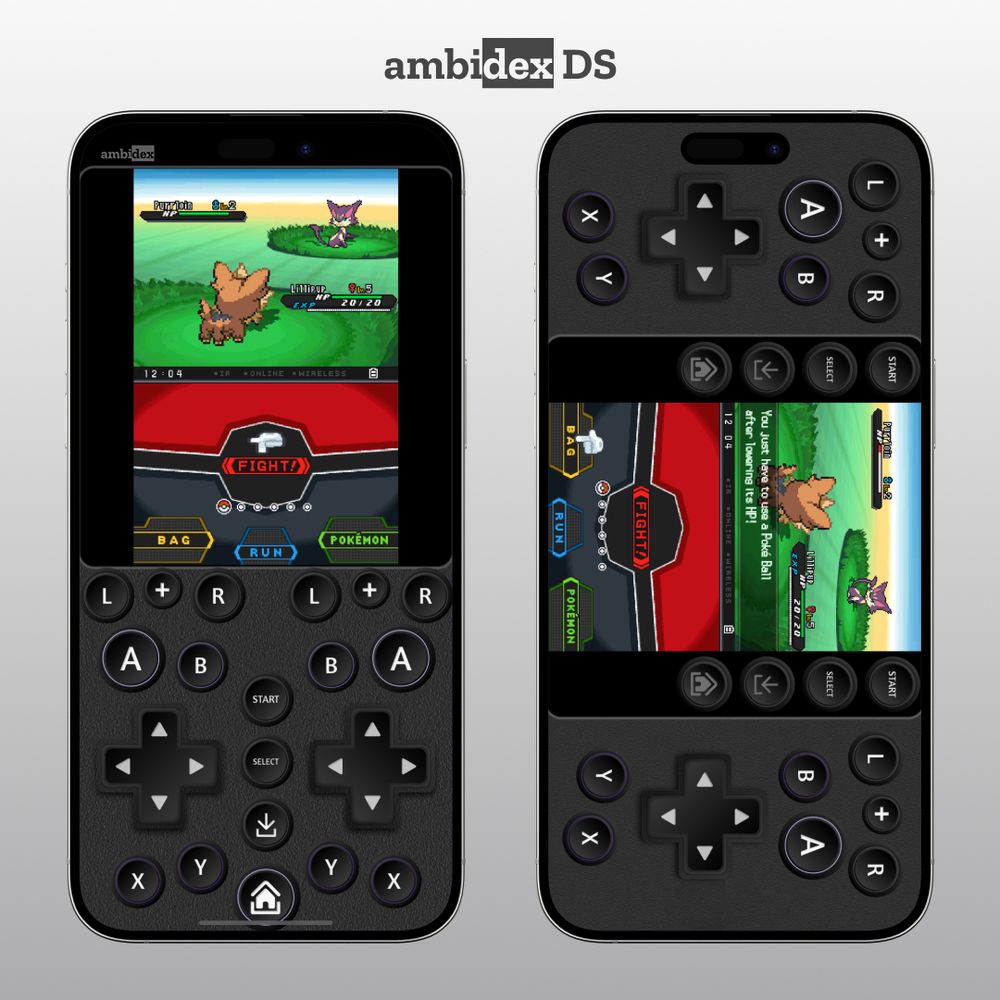
The DS layout is not unlike the SNES, with the same buttons. It does have the complication of a whole second screen, so I had to shift the layout down to make the screens large enough to see. I really recommend a plus/max phone for DS.
Last and most complicated is the N64, something I’ve called the final boss of emulated controllers. Hell, emulating the N64 with hardware controllers is difficult. It is even harder with 500 or so pixels of iPhone. This one had the most revisions and tweaking out of any of them.
I find using the analogue stick in the middle to be pretty comfortable. I know it looks like it’s too small. But try grabbing the analogue stick and moving it around. It’ll float over the surrounding buttons and not affect them.

Games played to test the controllers: Dragon Warrior (NES), Final Fantasy Legend III (GBC), NHL 96 (SNES), Mario Kart 64, Mario Party (N64), Final Fantasy V, Gunstar Heroes (GBA), Wild World, Dragon Quest V, Pokemon Black 2 (DS).
As with all emulated layouts, these will not not work well with every game.
Let me know if you have any questions. Please enjoy these. Enjoy older games! I loved making these. Delta is app of the year all over the place for a great reason. People love games from these consoles. Delta makes them easier to play today. I hope these controllers help make it even easier.
You can purchase and download these controllers at Etsy or Gumroad

Leave a comment