
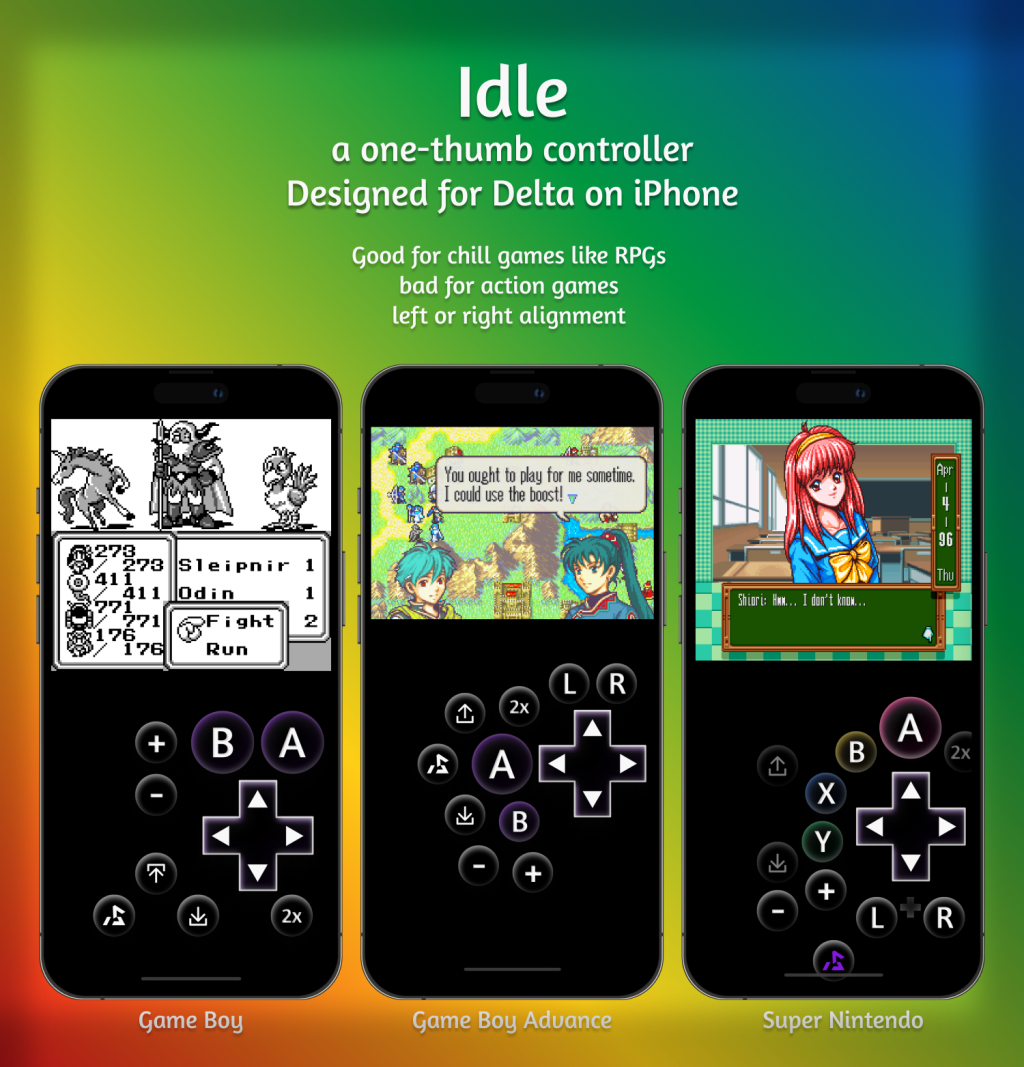
Over the last few weeks, I’ve designed a trio of custom digital video game controllers (or as they call them in the scene, skins) for a game emulator on iPhone called Delta. Delta allows anyone to design and install custom skins, and the documentation and coding seemed easy enough. It inspired me to make some of my own.
Delta is very good, but emulating older games on phones has never felt particularly comfortable. I’ve seen official companies struggle with digital controllers for nearly two decades. The proper answer is to pair the software with a hardware controller, but that’s no good when you’re out. I don’t think the problem is solved at all. I’ve taken a shot here, and I think I’ve been successful in making a very small selection of games more comfortable. A lot of games only feel correct on the proper hardware.
At first, I thought I’d make something more skeuomorphic, like Game Boys used to look. But after looking around a bit, I found that market flooded. Very creative people are working in this space, and I’ve been blown away by so many of them (shop around on deltastyles.com). I didn’t really want to compete in that space. So my buttons are really simple. OLED phones love a black background.
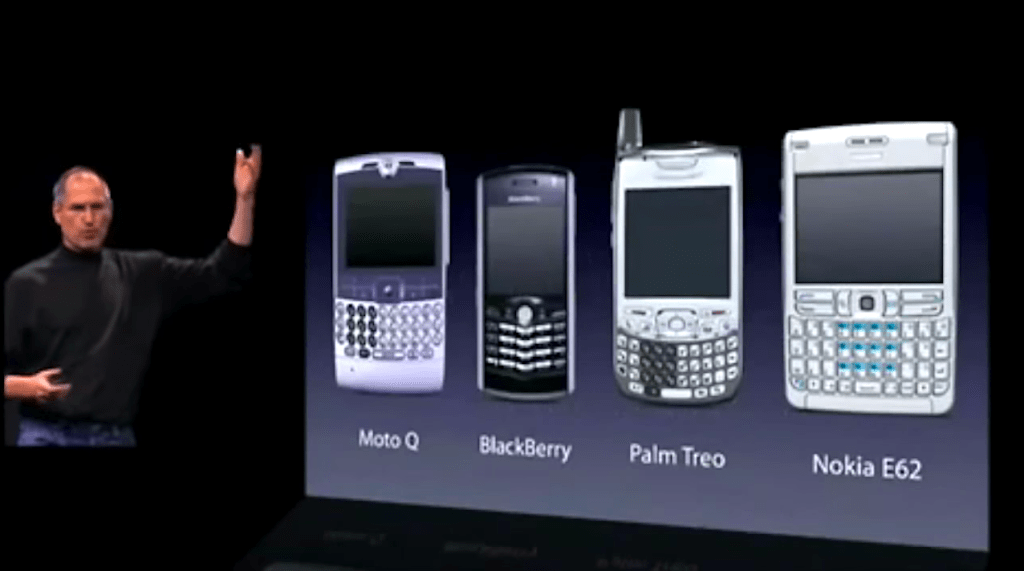
Remember that original iPhone keynote, when Steve Jobs put all the other smartphones up on the Titantron, where he sliced off all the hardware buttons? That got me thinking.
I know phones are bigger and heavier than ever, but I still prefer using a phone in just one hand if I can get away with it. I wanted to be able to grind in Final Fantasy games while on the subway. I’m a Pop Socket person, and those get in the way of cradling the phone Game Boy-style. Making a controller one-handed might also have accessibility benefits, and accessibility is good for everyone.
With this project, my north star was Yoshiaki Koizumi, Senior Executive Officer at Nintendo, when he relaxed on a couch during the Switch keynote. Look how comfortable this man is:

Idle GBC
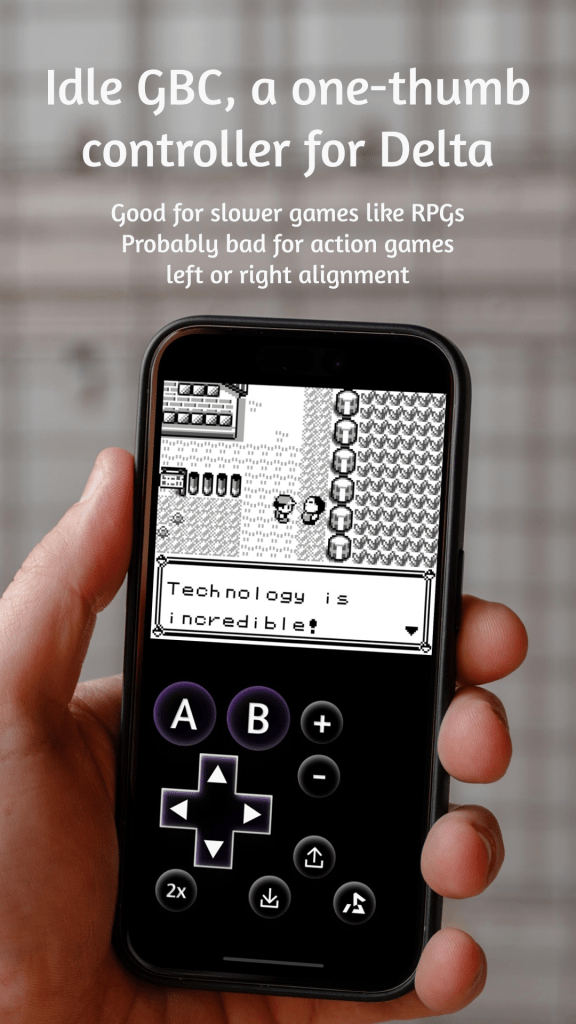
Idle GBC is a custom Delta controller that works really well with slow Game Boy RPGs like Pokémon and the Final Fantasy Legend trilogy.
For Idle GBC, I played through most of Final Fantasy Legend II to make sure it was comfortable for a whole game. I tested Pokémon Blue, and that was also really comfortable. Something interesting began happening: I started playing farther into these classic games than I had before. I wasn’t just popping my head in for bursts of nostalgia. I was finishing games.
Games that were not comfortable at all: Metal Gear Solid, Mario Land, and Mortal Kombat. No surprise there. If you give these controllers a try, I would not suggest making them the defaults. Play a game, and if you feel that game might be okay one-handed, you can configure it to launch with Idle.
At first, I released it with only the left orientation. Obviously, the number one request was for a right-handed version. You know, for the other 90% of the planet.
Download Idle GBC here: https://deltastyles.com/skins/150-idle-gbc
Idle GBA
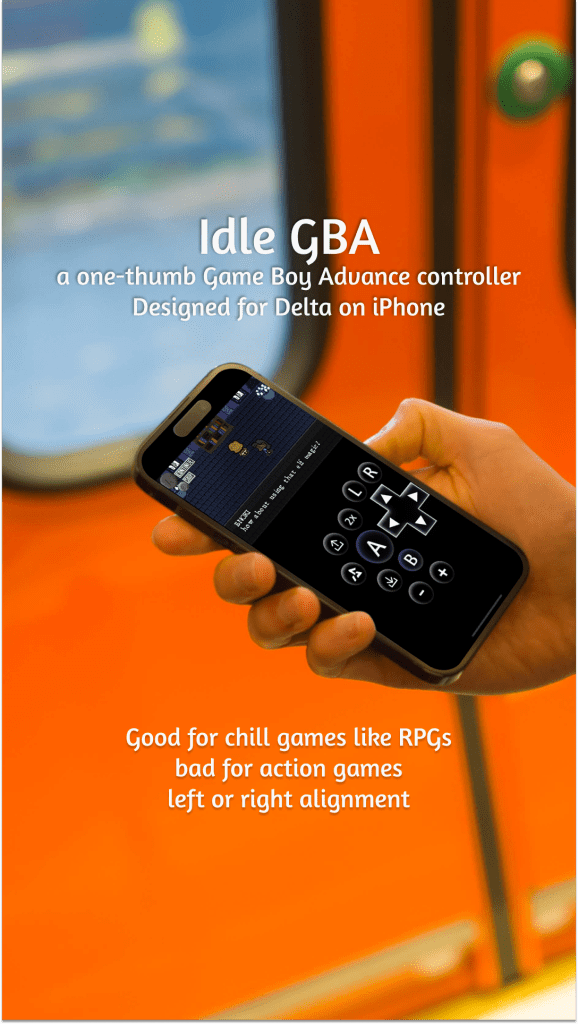
While I received a good amount of feedback on Idle GBC, the number one request I got was to make one for GBA games. This one took a little longer to make. The GBA has two more buttons (L and R), which makes the layout trickier. As you can see here, my iteration process began with a very similar controller to Idle GBC, but ended up totally different.

I had two primary goals with this controller: comfort for being able to press most buttons with just one thumb, and to minimize accidental button presses. The arrow buttons pointing up and down are quick save and quick load buttons. Delta lets you just tap a button and have your save held in a state. I thought it was important for these buttons to be on every skin, as this little quality of life update removes stress. But with the game boy and game boy advance skins, I also have variants that don’t include them.
Download Idle GBA here: https://deltastyles.com/skins/169-idle-gba
Idle SNES
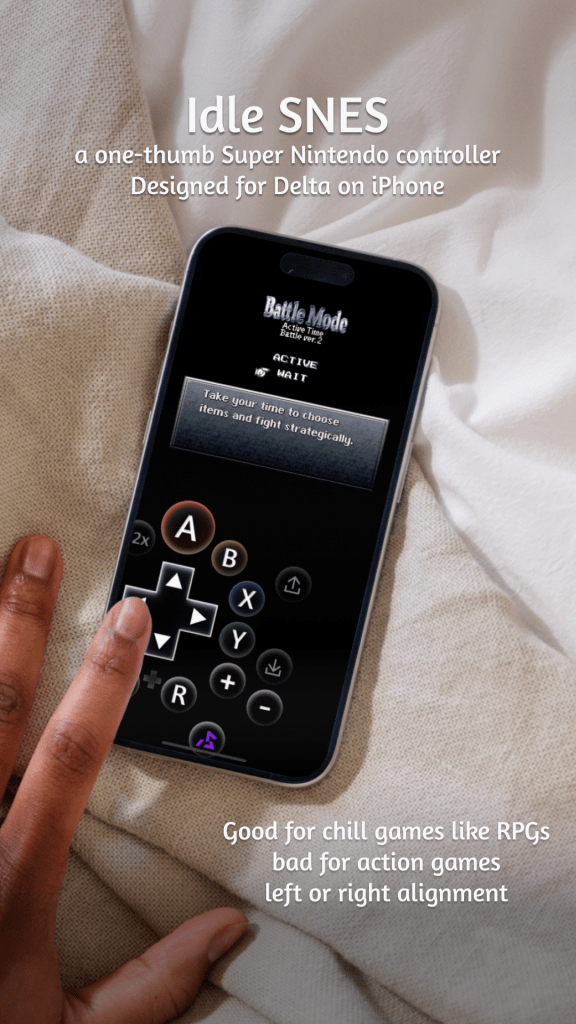
In testing the GBC and GBA skins, I realized I was hitting a lot of Final Fantasy games. But you know what other console has a lot of Square RPGs? The Super Nintendo.
The SNES skin was the toughest one. Two extra buttons meant I couldn’t do the same thing as before, so I tested a few different layouts until settling on the ABXY quarter-circle. In most RPGs, A is the action button, B is cancel, X is menu, and Y is nothing. I pushed the quick-load button a little farther away so accidental inputs shouldn’t happen here. I’ve found the fast-forward button to be something I constantly toggle, so I tucked left of the action button for even quicker access.
One trick I’m proud of here is a plus button in between the left and right buttons. When pressed, it’ll combine L+R, which is the action for running away in a Final Fantasy battle.
I wouldn’t advise playing Mario Kart with this controller. You will probably have a bad time.
Download Idle SNES here: https://deltastyles.com/skins/195-idle-snes
In Closing
I loved working on this project. Controller UI is a cool exercise. I’m sure I’ll tinker with these controllers more. They’ve only been out a few weeks, and I’m still taking feedback on future revisions.
There are more systems that Delta supports. I may make an Idle NES controller in the future, and I have some ideas for custom N64 controllers. I’m not entirely sure what I’m going to do next here. If anyone has any requests, let me know 🎮. I’m thinking about the DS. That one feels like the final boss of controller emulation.
Thank you so much to everyone who gave me early feedback on these controllers, and everyone in the Delta discord (especially RelinQ) for your help.


Leave a reply to Thoughts on 1DS, a stylus-based iPad video game controller – K Sawyer Paul Cancel reply